

Your endurance race in 360°
Four steps, from setting up your race to the right stop: configure your pit, rate your karts at the start, watch your rivals, then assign every pit at the right moment. From SWS to TBkart.
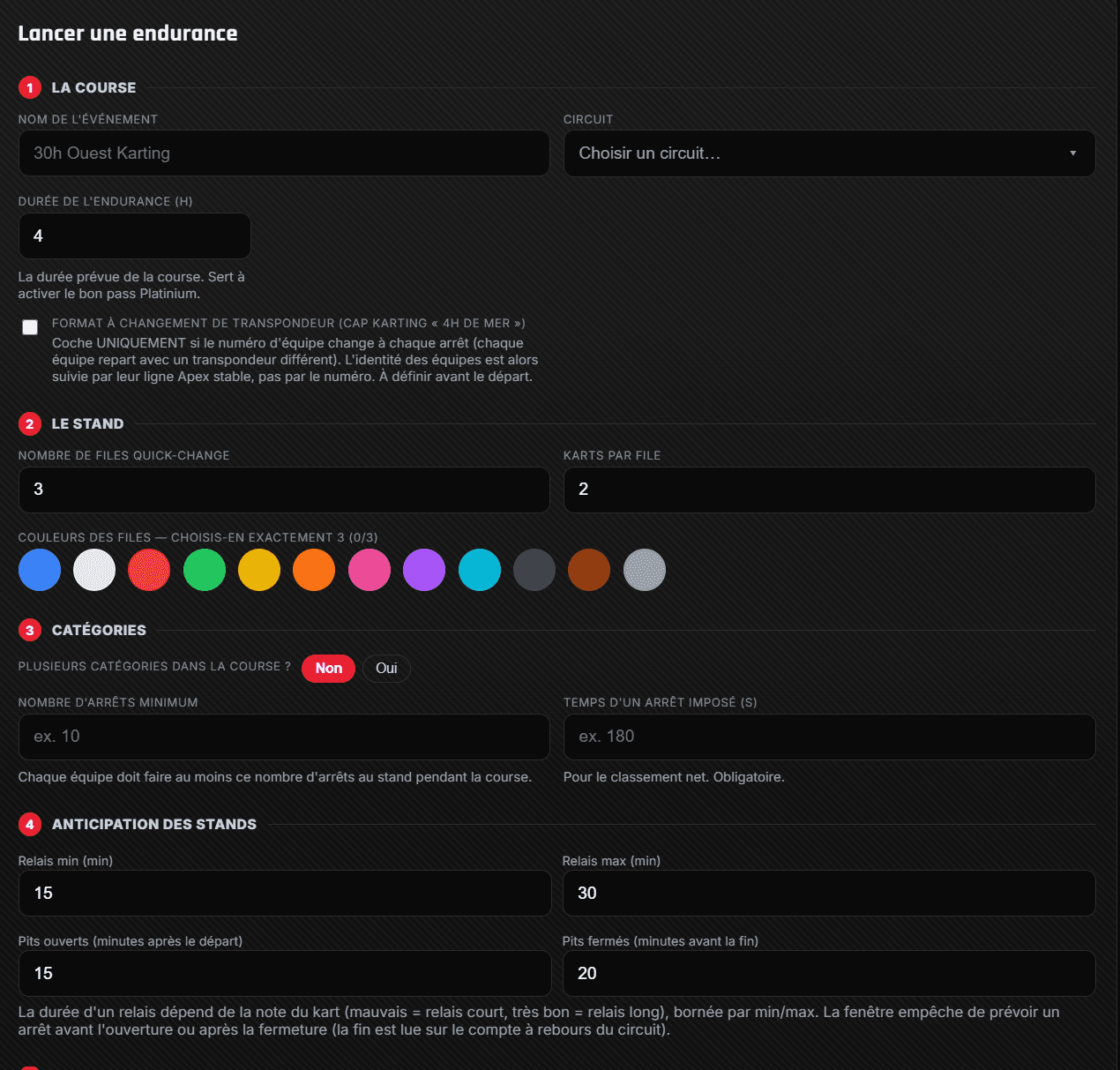
Start an enduranceBefore the start, you enter your race exactly as it is: event name, Apex Timing track, endurance duration. Then the REAL state of your pit — how many quick-change lanes and how many karts per lane, with your lanes' real colours. Finally your categories and rules: mandatory stops, stop duration, min/max stint and the pit-window opening.
- ›Event name, track and endurance duration
- ›The real quick-change setup: number of lanes, karts per lane and real colours
- ›Your rules: mandatory stops, stop duration, min/max stint, pit window
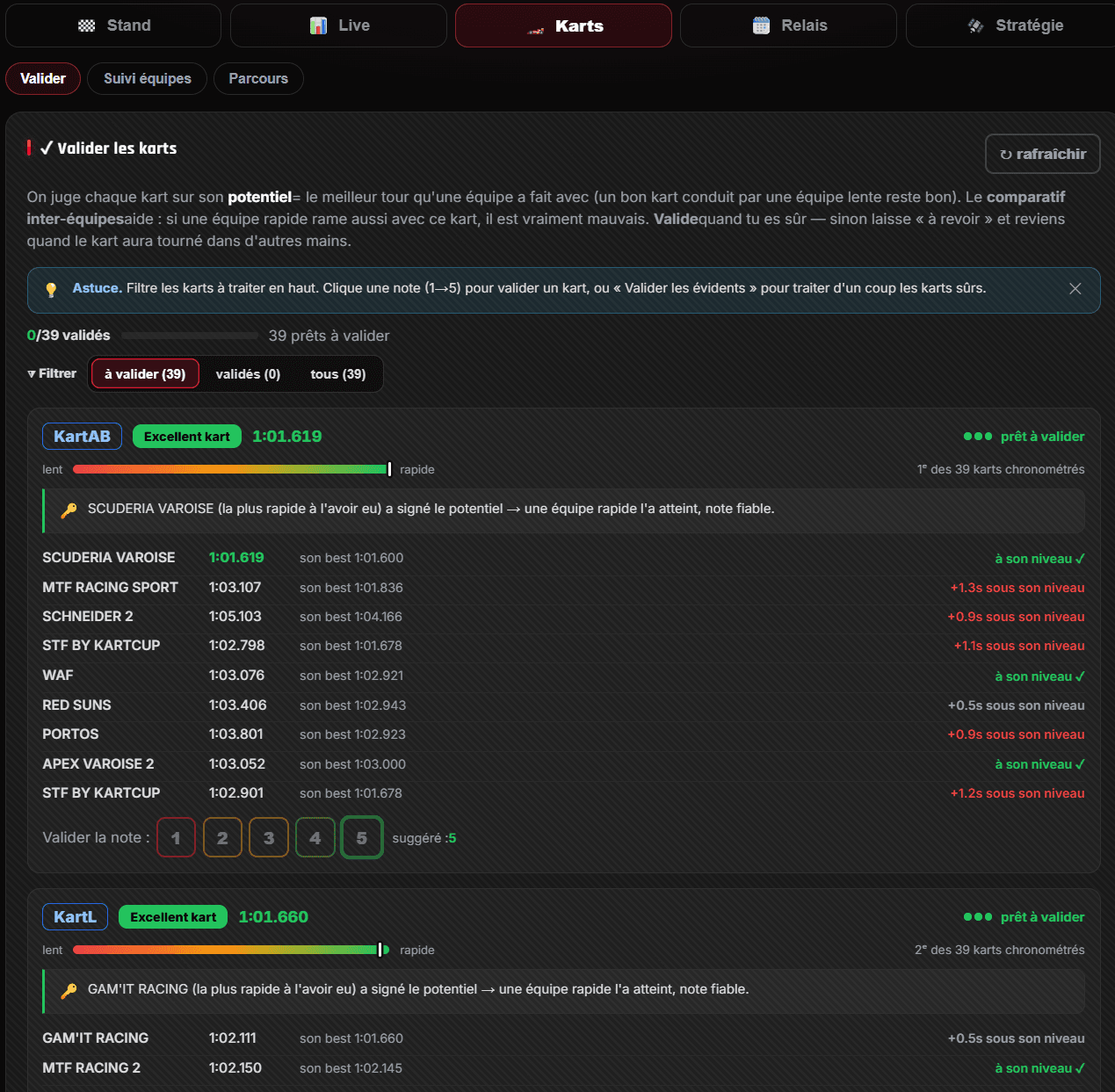
The start of the race is decisive. PitBoard already rates every kart automatically (1 to 5) on its real pace, and it re-evaluates that rating every stint — adapting to the conditions (track, weather) and to how the karts evolve over the race. Your job is to lock it in: spot the good machines, find their letter in PitBoard and validate them in Karts → Validate (a very good kart, rate it 5; a very fast driver stuck with his kart, rate it 1). Your hand-validated rating becomes the kart's human reference: you'll never lose sight of it.
- ›Automatic rating of every kart (1 to 5) each stint, adapting to conditions and how the karts evolve
- ›Spot the good machines on track and find their letter in PitBoard
- ›Karts → Validate: lock the rating by hand — 5 for good, 1 for bad
- ›The validated rating becomes the human reference — the kart is never lost
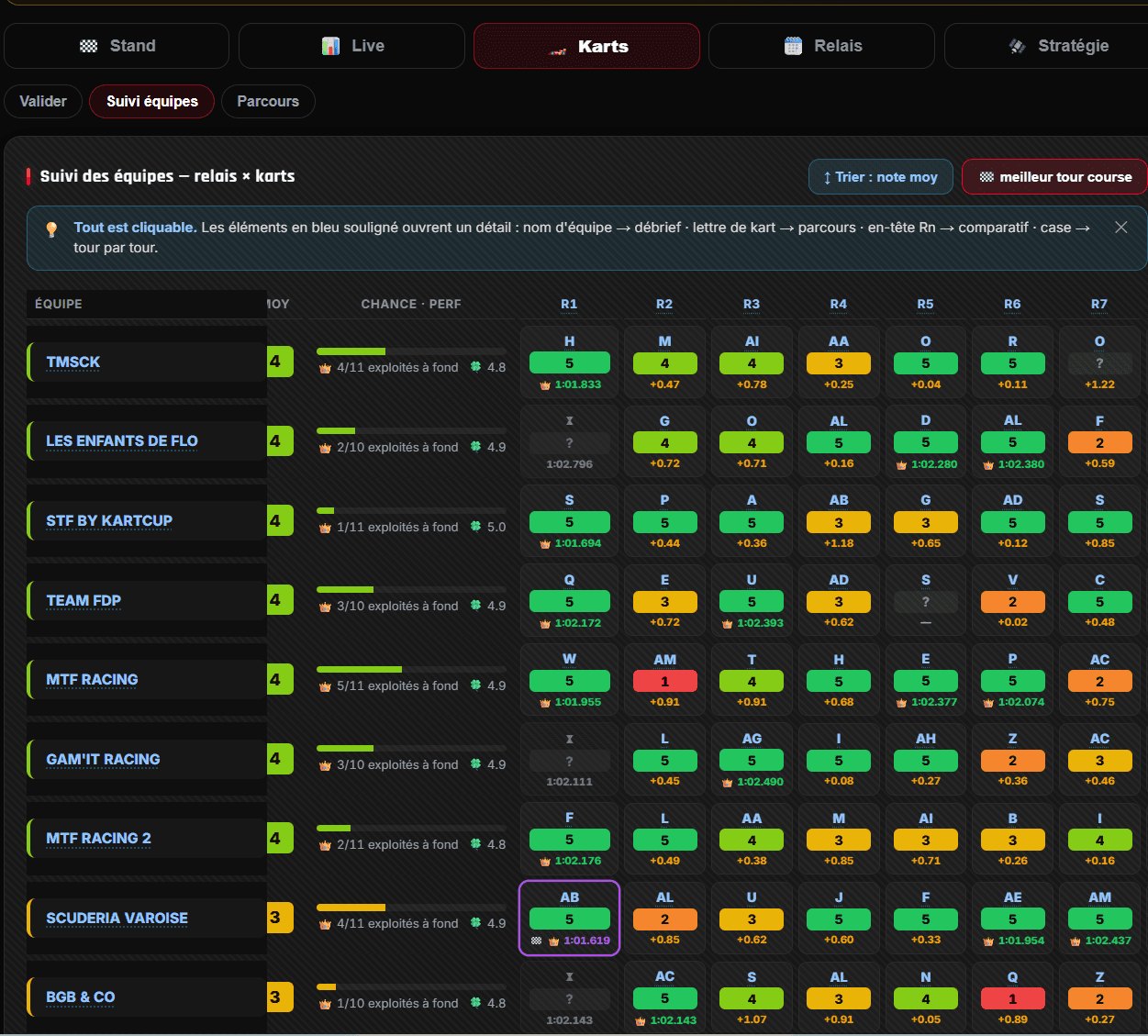
With Team Tracking (Karts → Team tracking tab), you see at a glance whether your direct rivals are struggling or on form — so you know when to attack flat out. You also see which team got the most out of each kart, stint by stint: exactly what you need to spot the winning machines and the ones that drag you down.
- ›Your direct rivals: struggling or attacking? Know when to push
- ›Who got the most out of each kart, stint by stint
- ›The teams × karts matrix — everything is clickable for detail
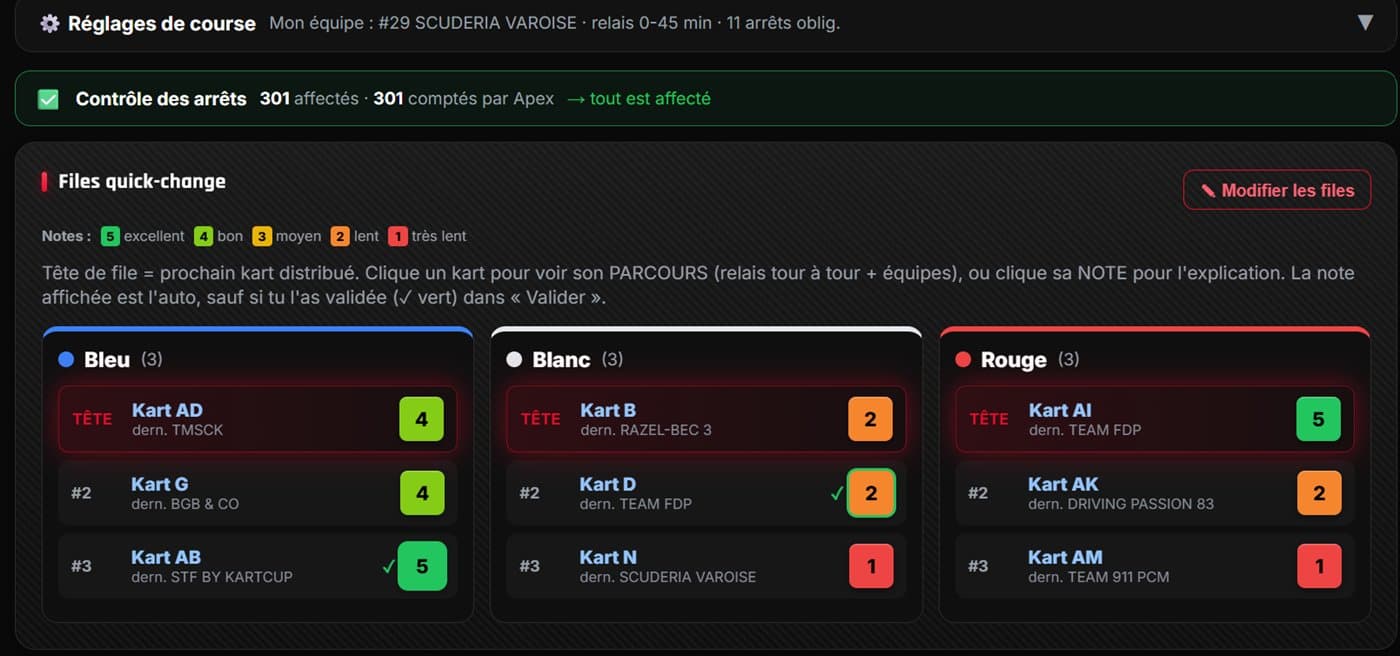
At every pit, PitBoard sends you a notification: you assign the colour received, instantly, in the right pit window. And you keep control of everything: move karts between lanes and ranks, add or remove a kart, shift the quick-change columns, declare a mechanical breakage. Whatever the reality of the pit, the tool always sticks to your race.
- ›Notification at every pit → assign the colour in one click, in the window
- ›Move karts between lanes and ranks, add or remove a kart
- ›Shift the columns, declare a mechanical breakage — the tool always follows
Reliable data, continuously
PitBoard captures Apex Timing's live data continuously, saves everything permanently, and even backfills missing laps after a dropout. Close it, reopen it, switch phones: nothing is lost.